Guide to Switching Estates on the Homz Community Management Software.

With Homz, managing multiple estates is simple. Follow the guide below to switch from one estate to another within your Community Management dashboard.


Step 1:
If you have not already done so, and create an account, or log in to your existing account. Once logged in, you will be taken to your dashboard. (If you need help creating an account, refer to the “How to Create an Account as a Community Manager” guide.)

Step 2: Click on the Estate name 

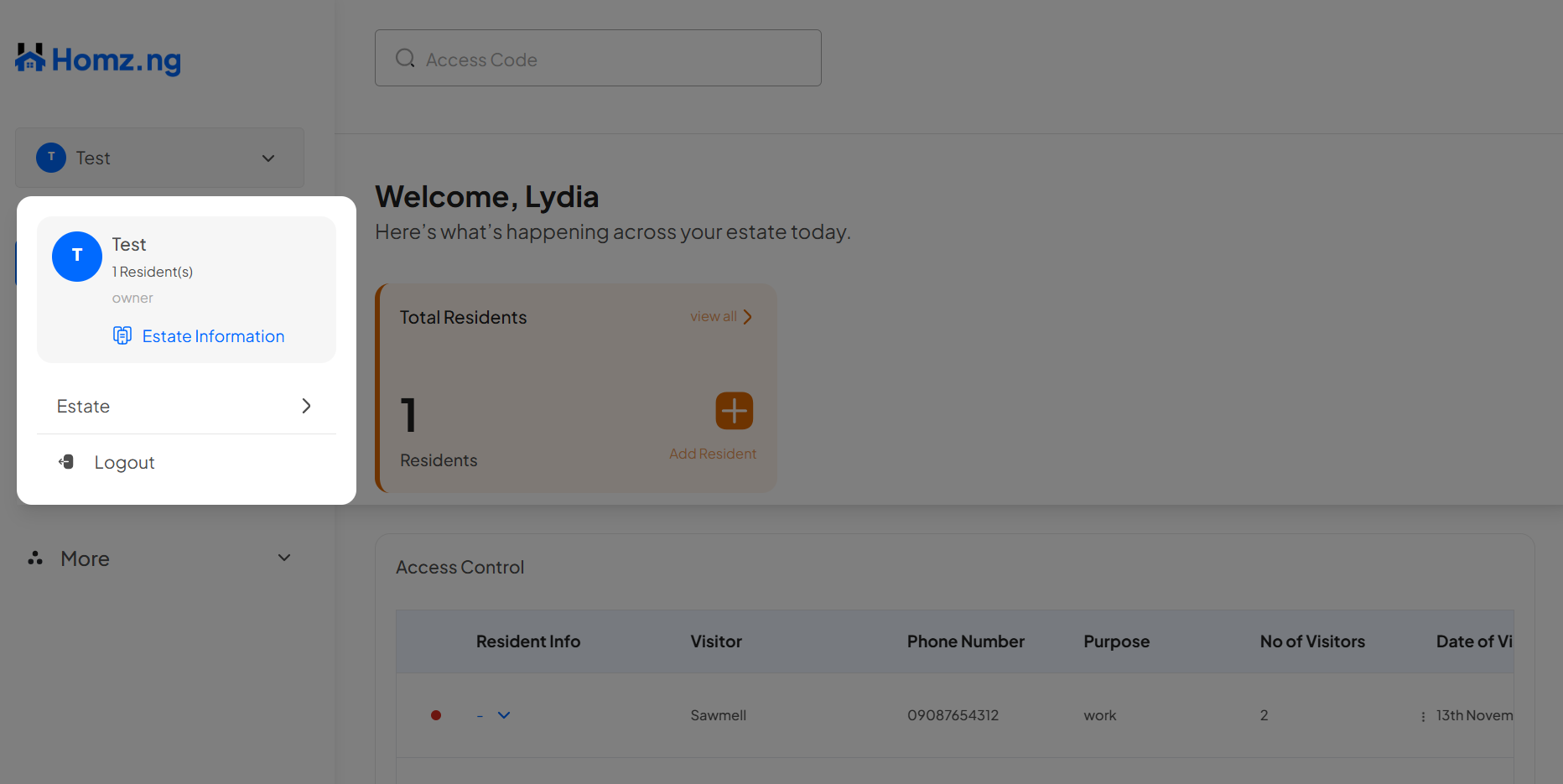
On the left-hand panel of your dashboard, click on the “Estate Name” showing. 
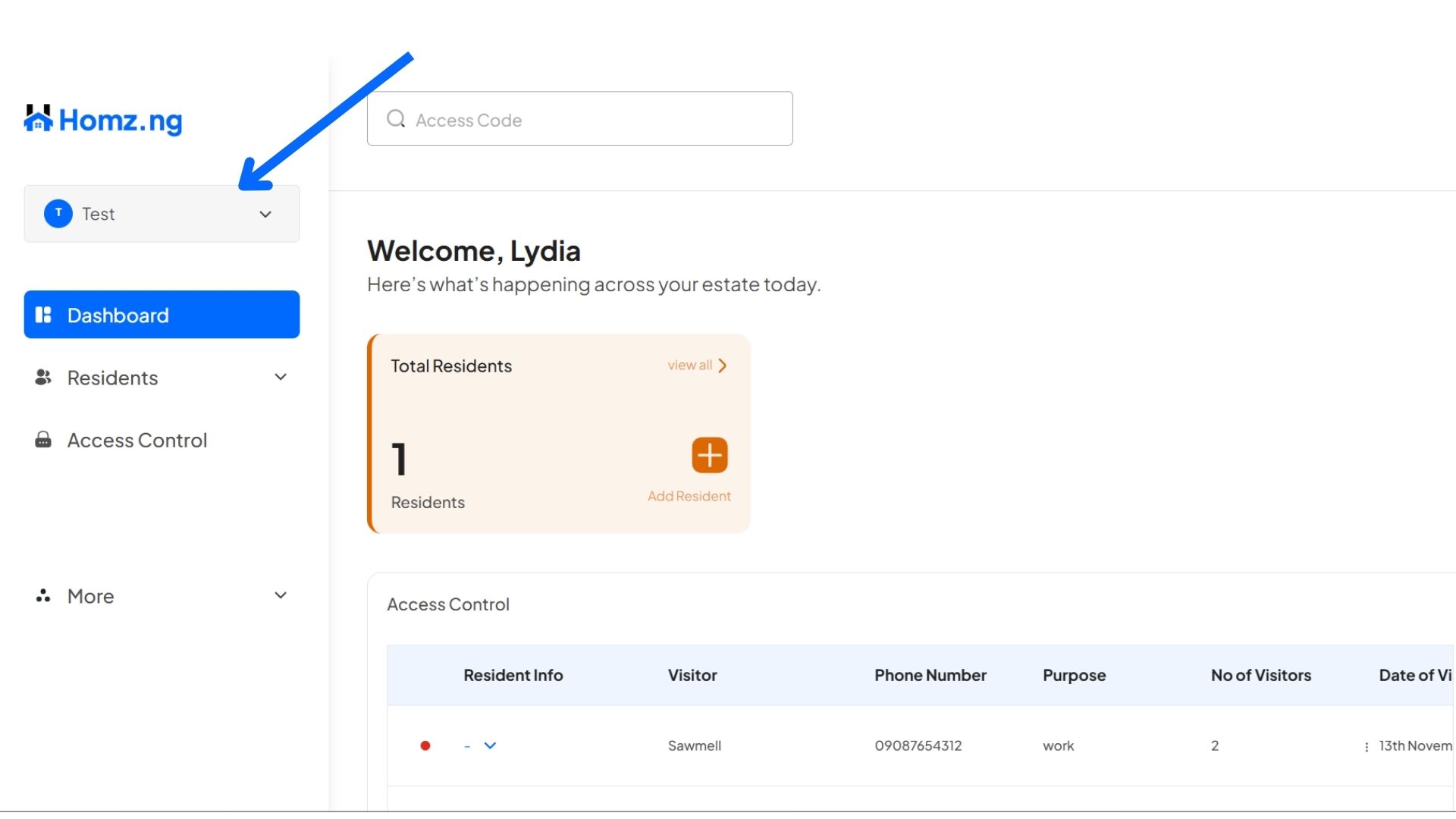
estate button


Screenshot 2025 11 30 195624


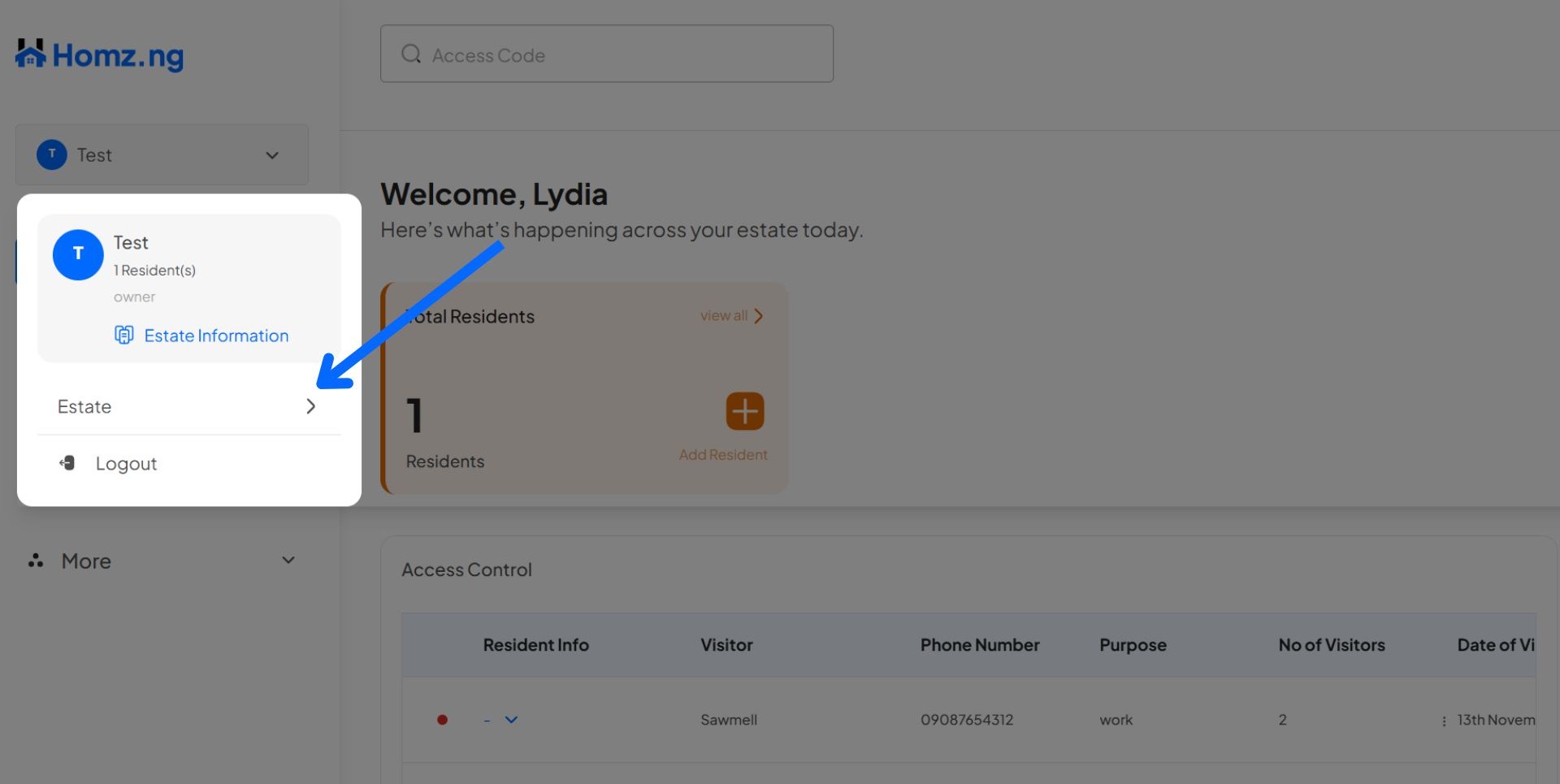
Click on the “Estates” button 


estate select btn


Scroll or search by estate’s name from the lists,  click on the “Switch” button on the estate name to select that estate.
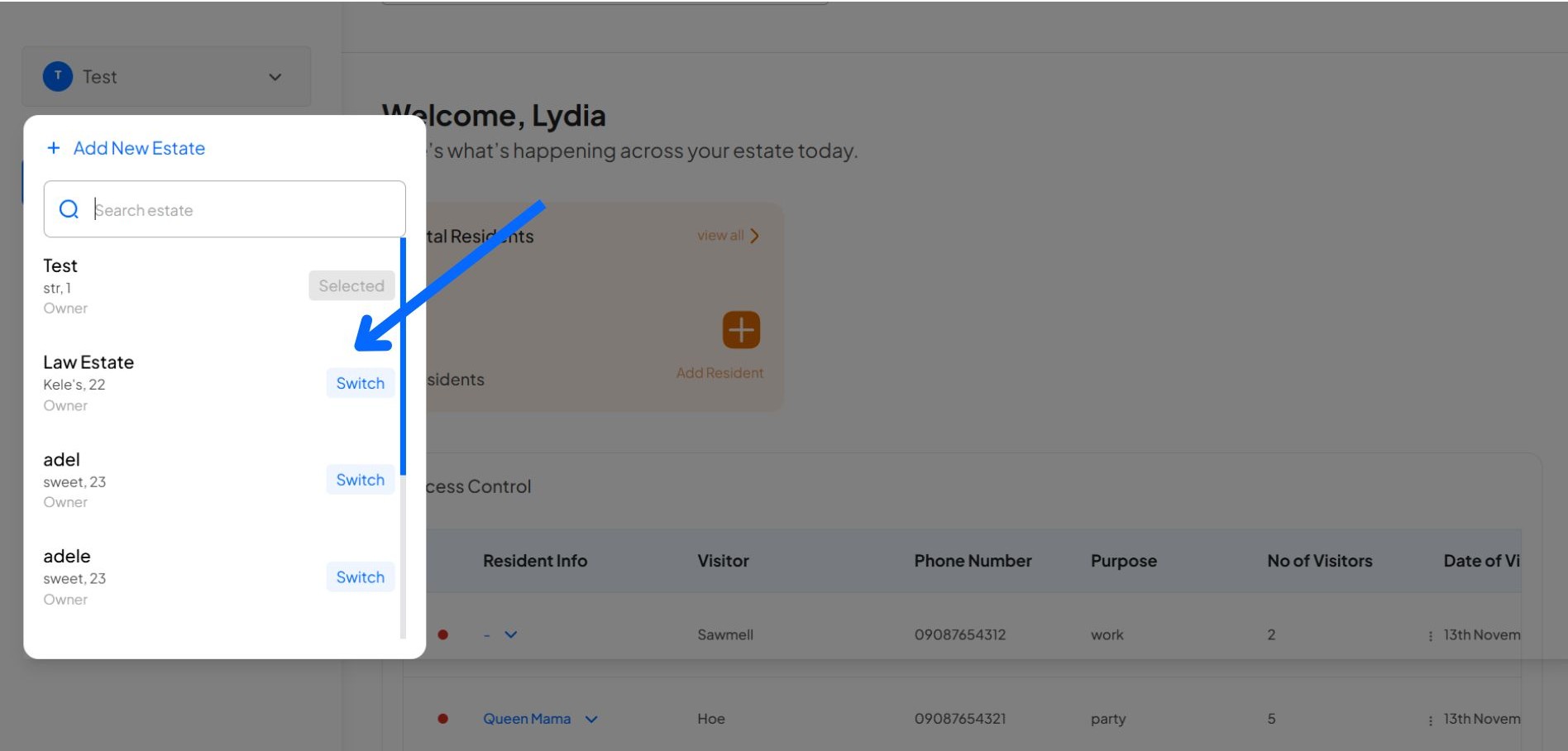
 

switch estate


Congratulations, You have successfully switched between your estates. Enjoy!


Learn how to create an account and sign in to your dashboard.

Learn how to register a visitor and generate an access code.

Learn how to add new residents manually.

Learn how to add new residents via link generation.

Learn how to view and edit estate details.

Learn how to revoke a visitor’s access code.

Share Article:

How Property Listing Works

Are you a landlord or property manager looking to list your property?Homz.ng makes it simple and efficient! 

Join the family!

Sign up for a Newsletter.

You have been successfully Subscribed! Ops! Something went wrong, please try again.
Edit Template

Homz is your ultimate companion in real estate! We are all for creating seamless experiences for both Property Managers, Landlords and Tenants alike.

Follow us on:

Links

Property Management Software

List A Property

Landlord

Tenant

FAQ

Contact

Address: 1st Floor, Marina Hub Suite, Foresight House, 163/165, Broad Street, Lagos Nigeria.

Contact: 09160002460

WhatsApp: 09160002460

© Copyright 2025 Homz.ng. All Rights Reserved