With Homz, manually adding residents to your estate is simple, organized, and designed to ensure accurate record-keeping.
Follow the steps below to input resident details directly into your Community Management dashboard.
Step 1:
If you have not already done so, and create an account, or log in to your existing account. Once logged in, you will be taken to your dashboard. (If you need help creating an account, refer to the “How to Create an Account as a Community Manager” guide.)
Step 2:
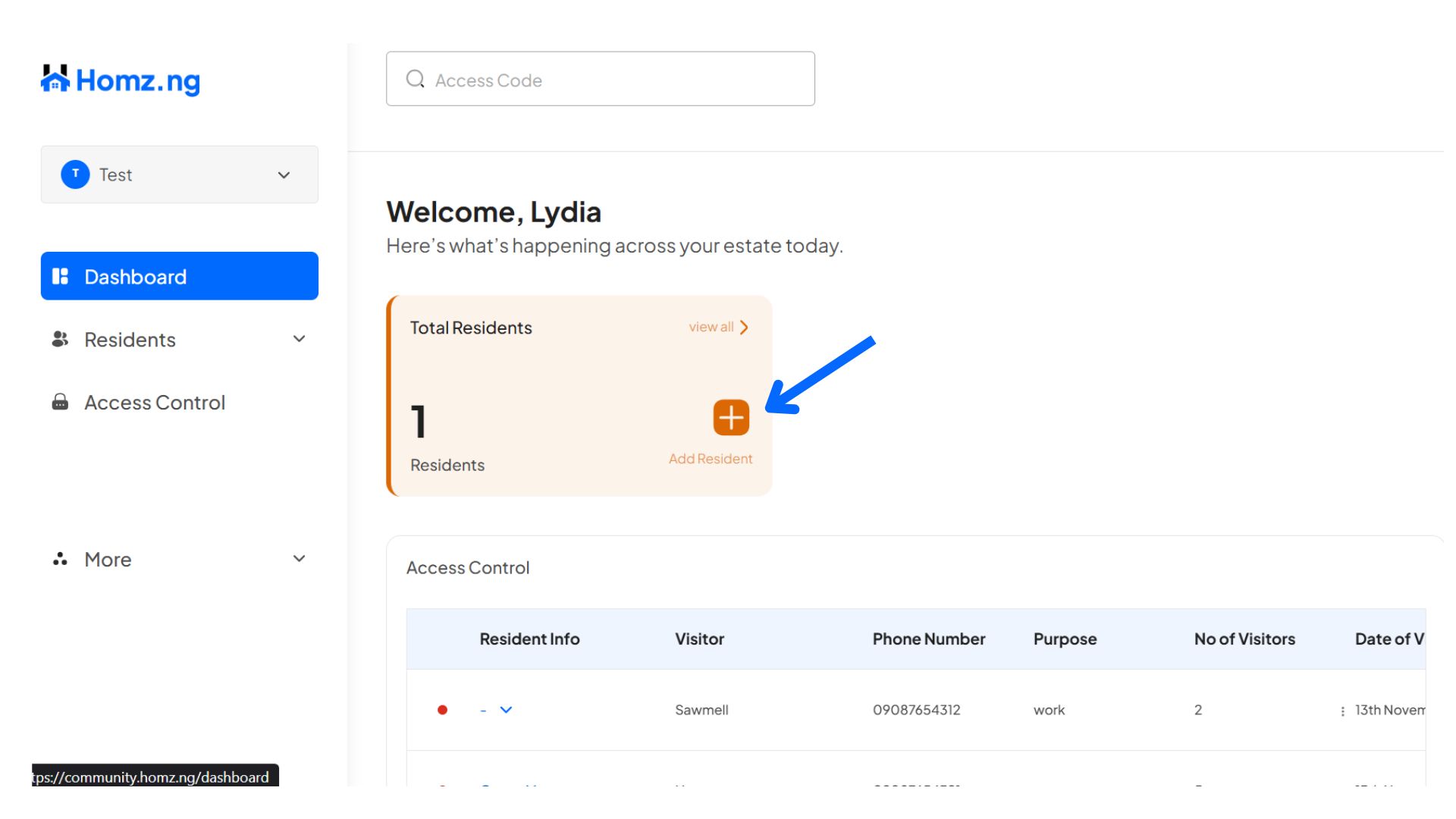
Click on the “Residents” button on the left-hand panel of the dashboard or the “+” on the dashboard page.
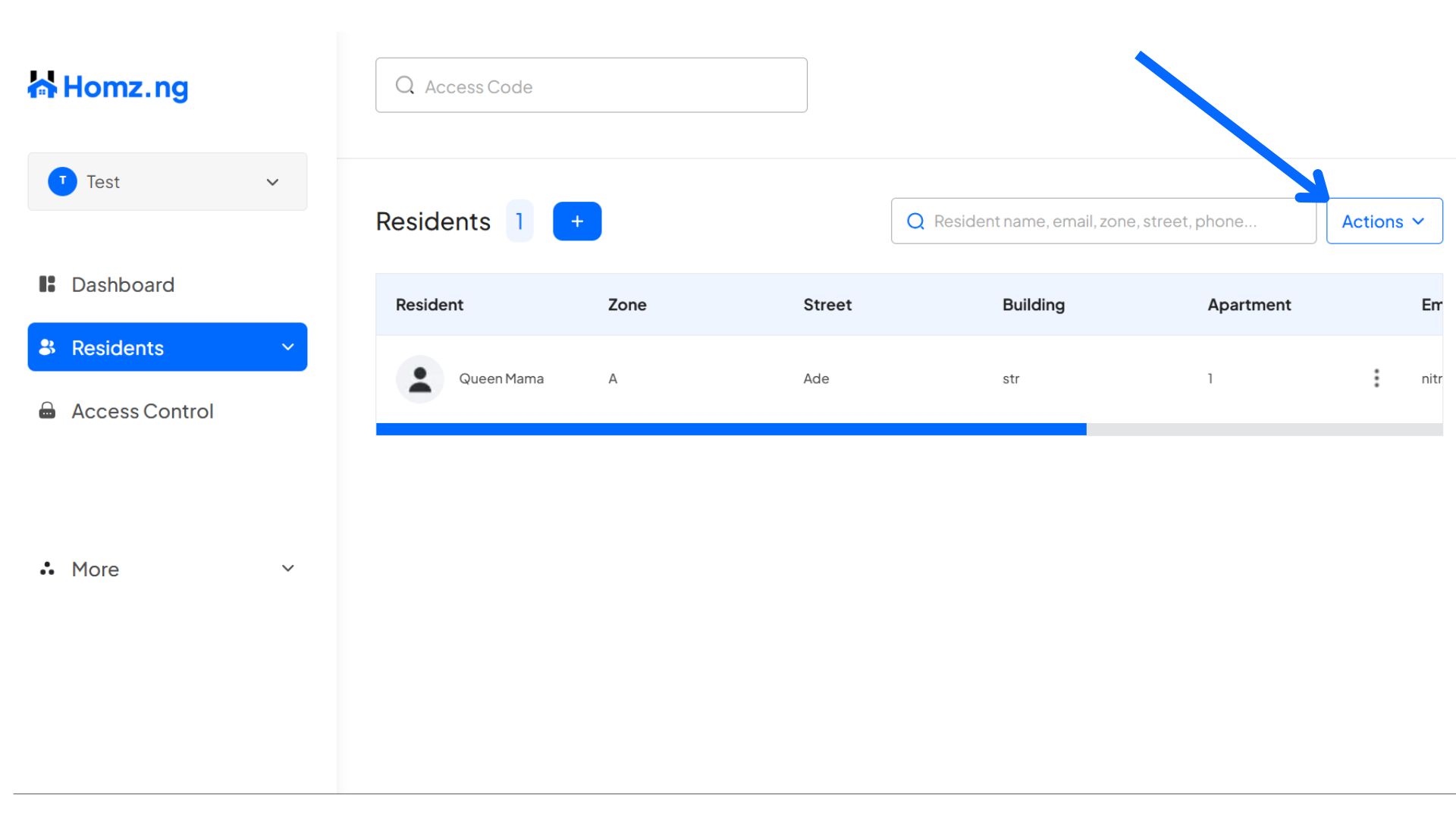
- Click on the “Actions” button at the right-hand of the page,
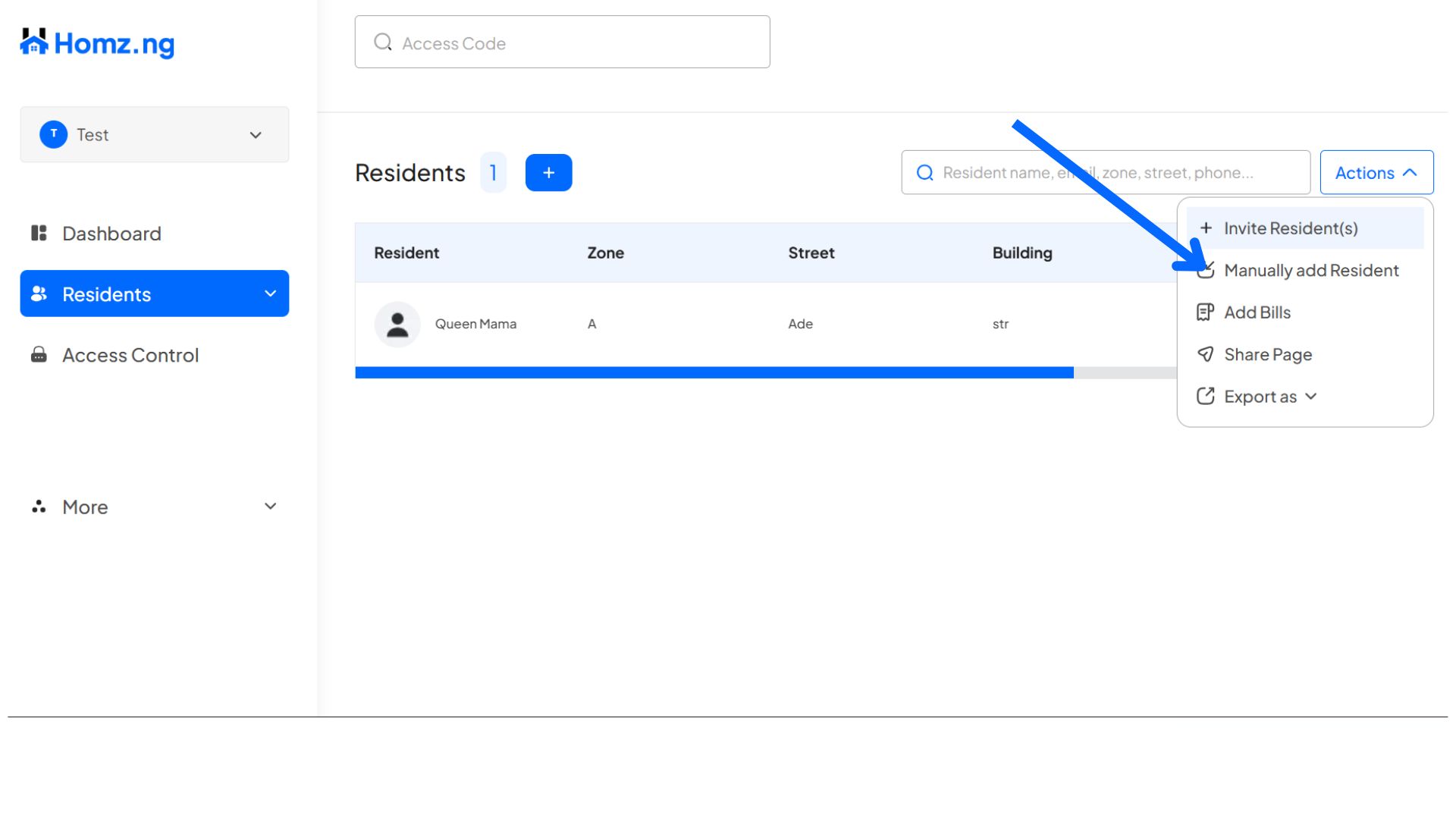
then click on “Manually add Resident” button
Step 3:
Fill in all the necessary information on the form, then click on the “Add Resident” button to add a new resident.
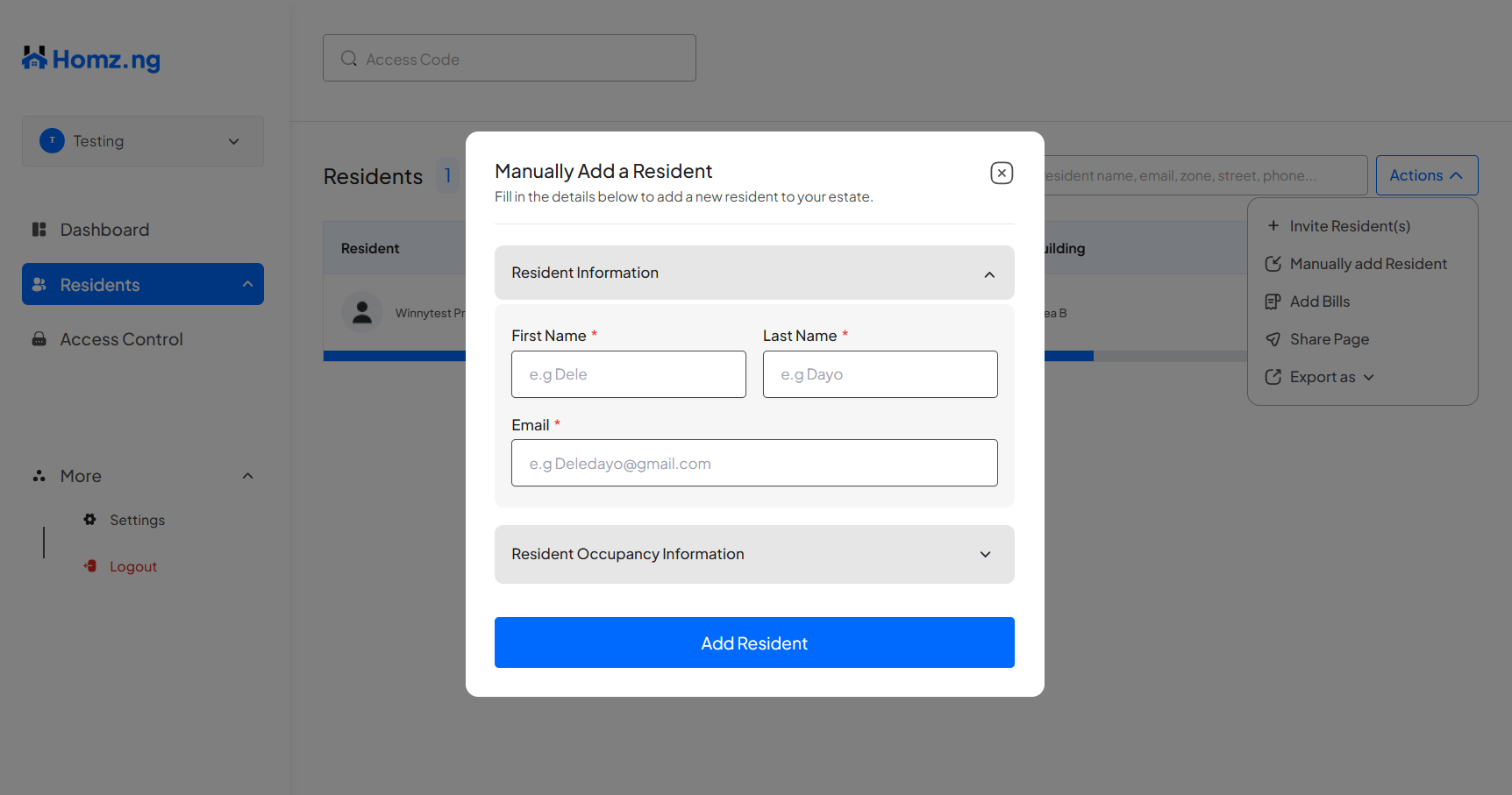
An invitation mail would be sent to the residents.
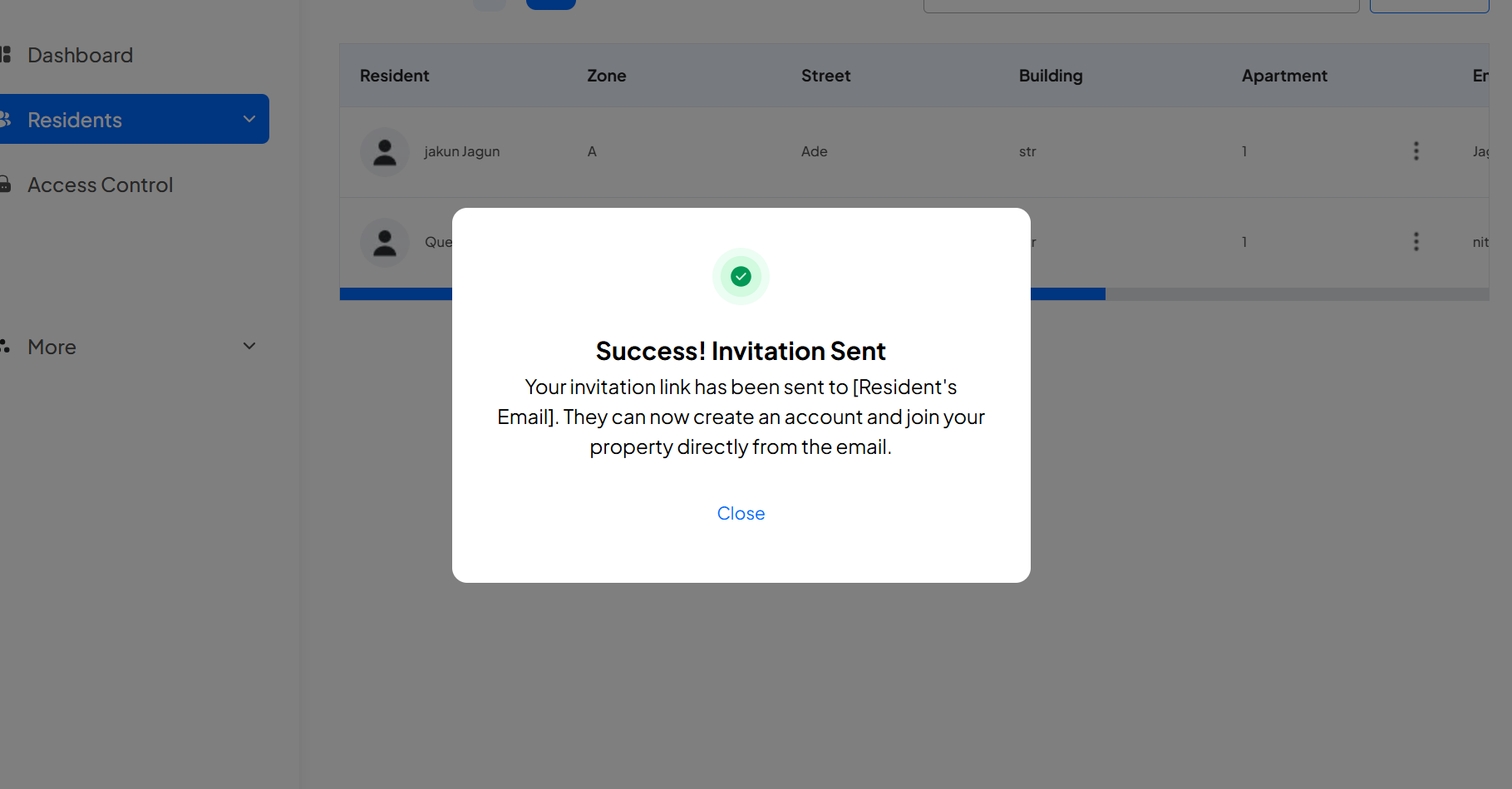
Congratulations, You have successfully added a resident manually to your estate. Enjoy!
Learn how to create an account and sign in to your dashboard.
Learn how to switch between your estates.
Learn how to register a visitor and generate an access code.
Learn how to add new residents via link generation.