Managing visitor movement within your estate is easy and efficient with Homz.
Follow the steps below to sign a visitor in upon arrival or sign them out when leaving, ensuring accurate and up-to-date access records.
Step 1:
If you have not already done so, and create an account, or log in to your existing account. Once logged in, you will be taken to your dashboard. (If you need help creating an account, refer to the “How to Create an Account as a Community Manager” guide.)
Step 2:
Click on the “Access Control” button on the left-hand panel of the dashboard and scroll to the right-hand side on the table to see the “Access Status” column.

Step 3: Click on the down arrow to either “Signed In” or “Signed Out” depending on the status of that access code.

For the Signed In, the time is displayed on the table
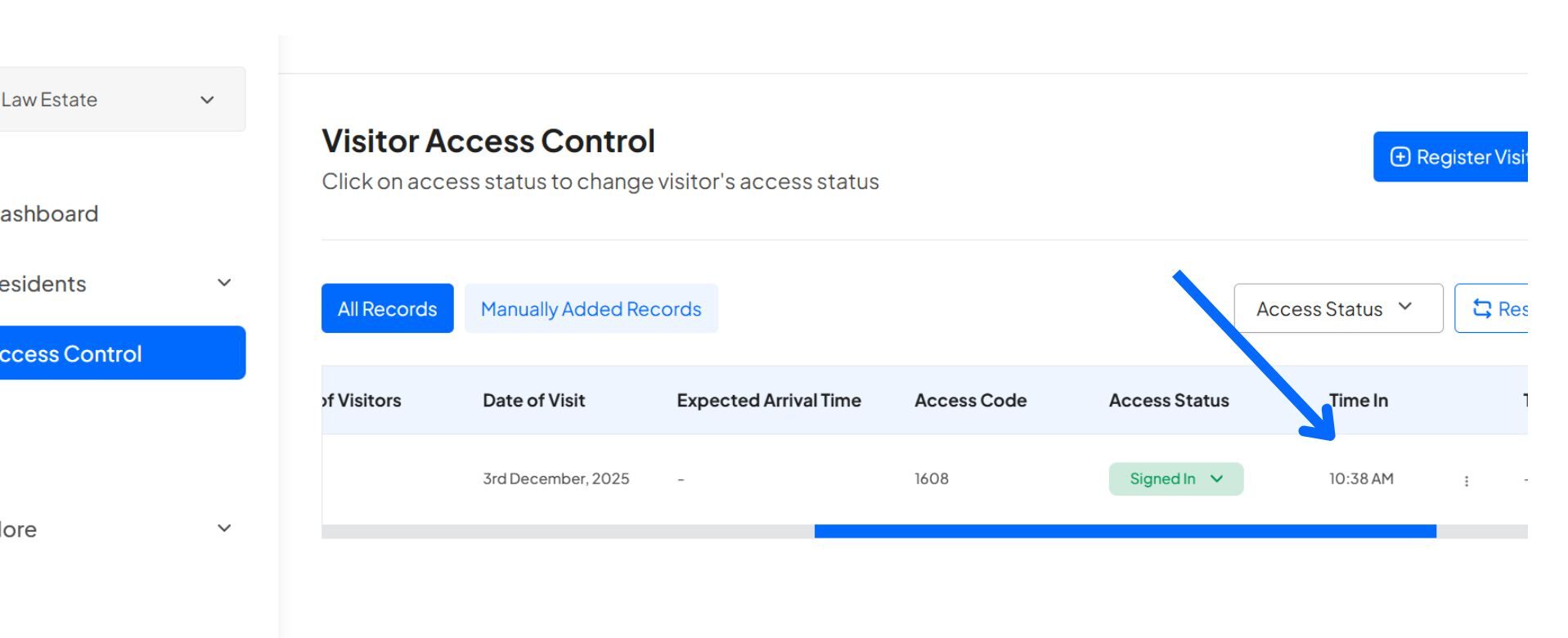
For the Signed Out, the time is displayed on the table.

Congratulations, You have successfully signed in and signed out your visitor.
Learn how to create an account and sign in to your dashboard.
Learn how to switch between your estates.
Learn how to register a visitor and generate an access code.
Learn how to add new residents manually.