With Homz, onboarding new residents is simple, automated, and highly efficient.
Follow the steps below to generate and share a secure, unique registration link that allows residents to submit their details directly into your estate’s system.
Step 1:
If you have not already done so, and create an account, or log in to your existing account. Once logged in, you will be taken to your dashboard. (If you need help creating an account, refer to the “How to Create an Account as a Community Manager” guide.)
Step 2:
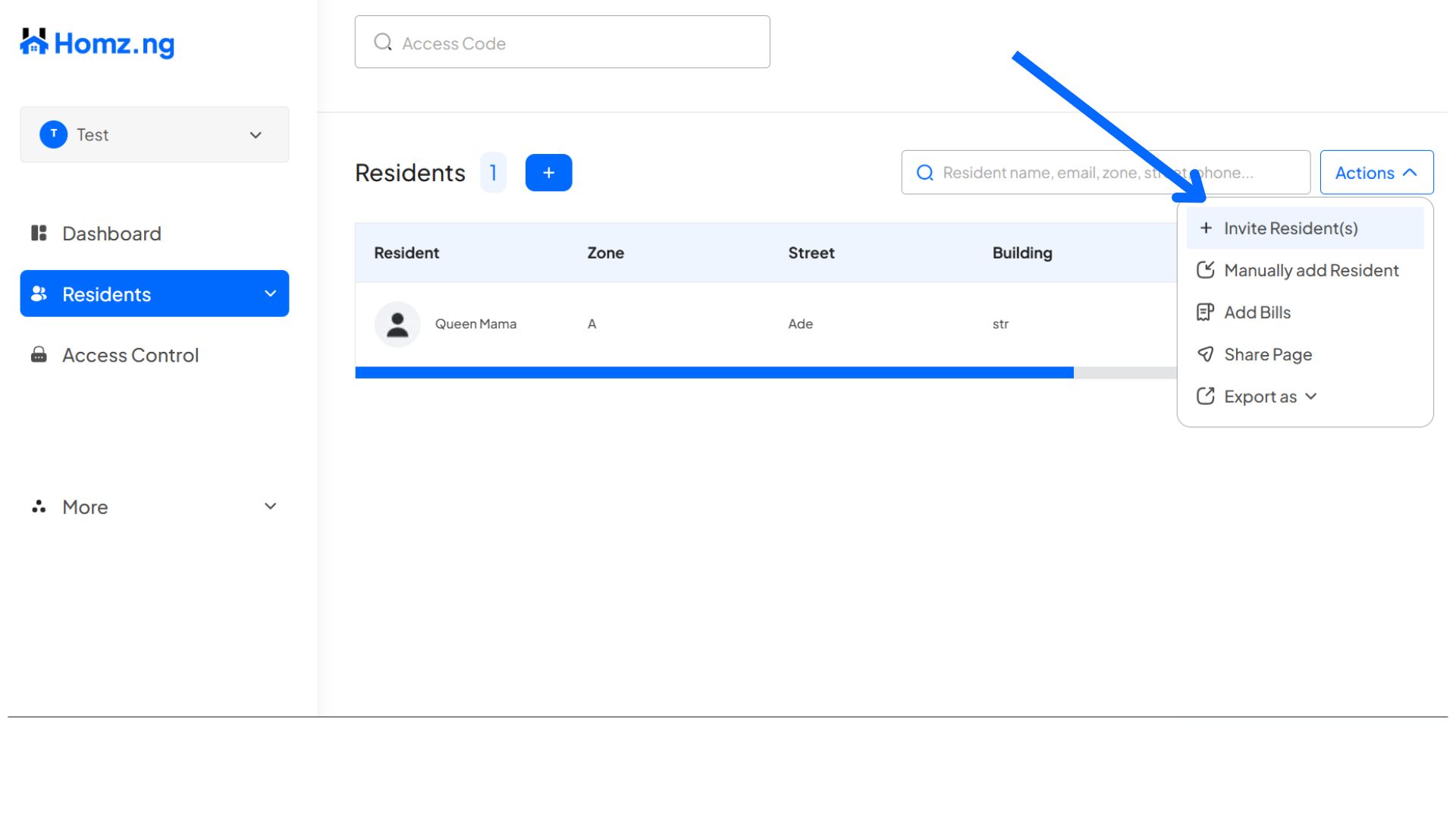
Click on the “Residents” button on the left-hand panel of the dashboard or the “+” on the dashboard page.
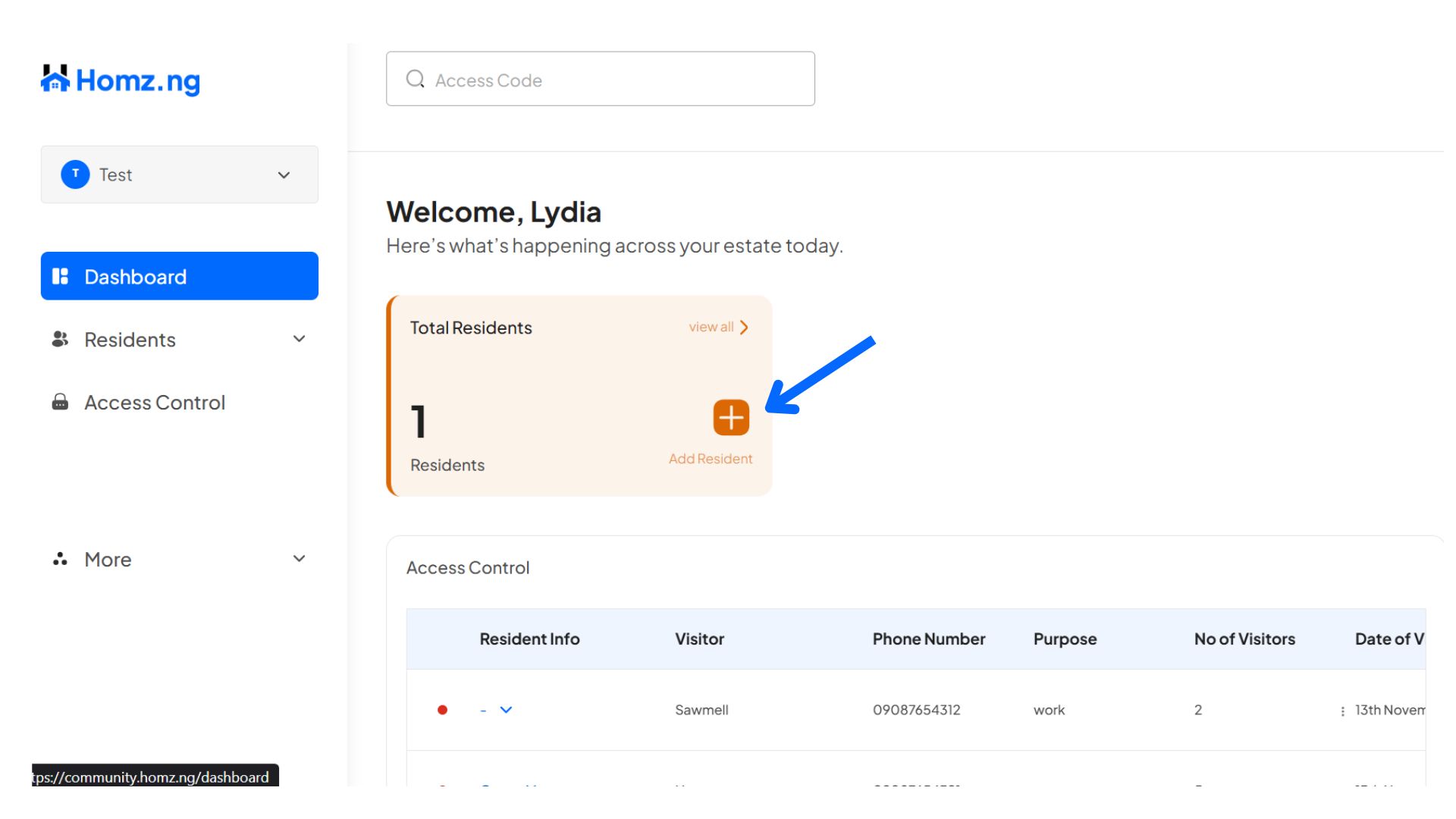
There are two ways to generate invite link on your dashboard
- Click on the “+ Blue” button to generate invitation link
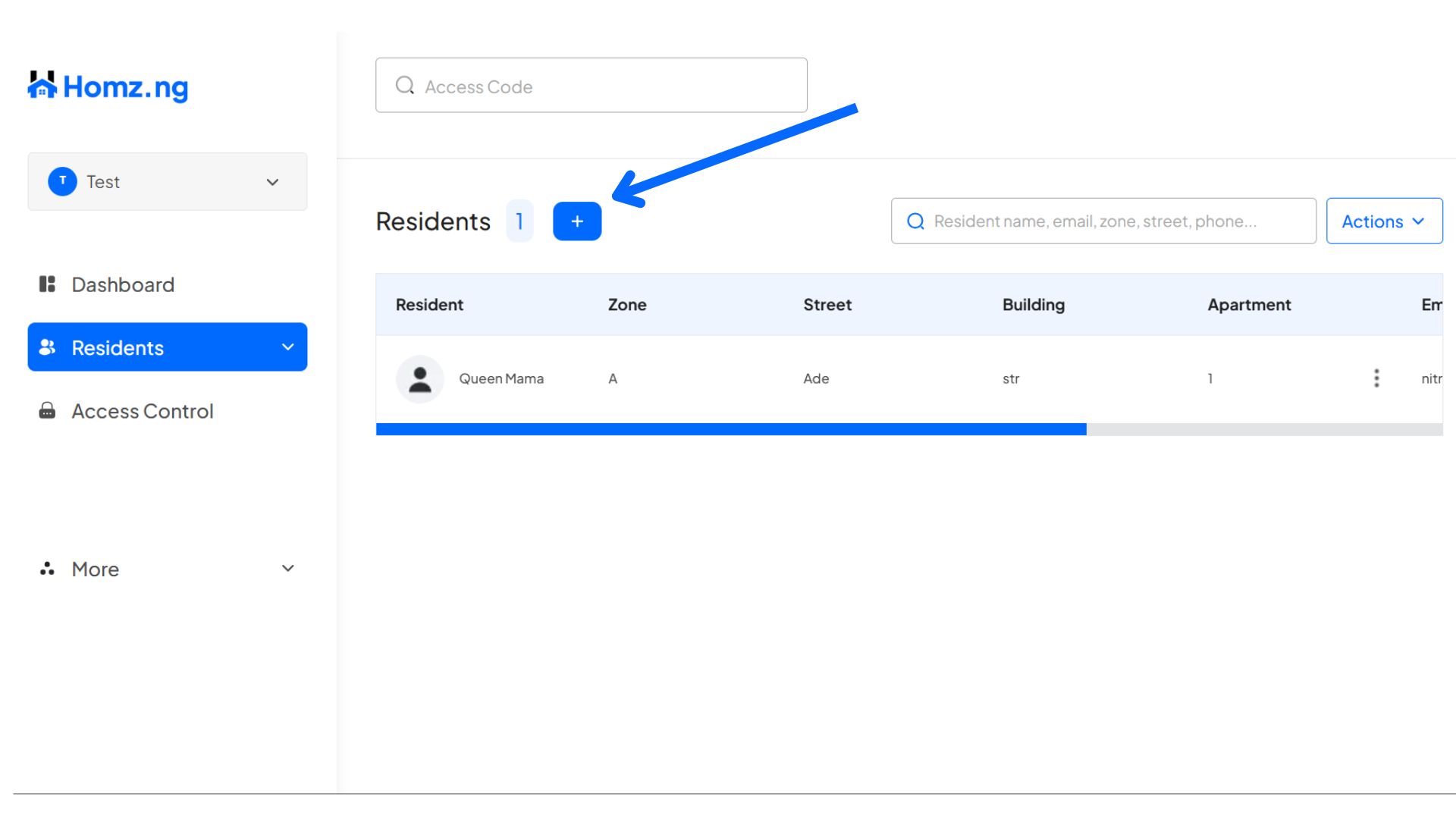
- Click on the “Actions” button at the right-hand of the page,
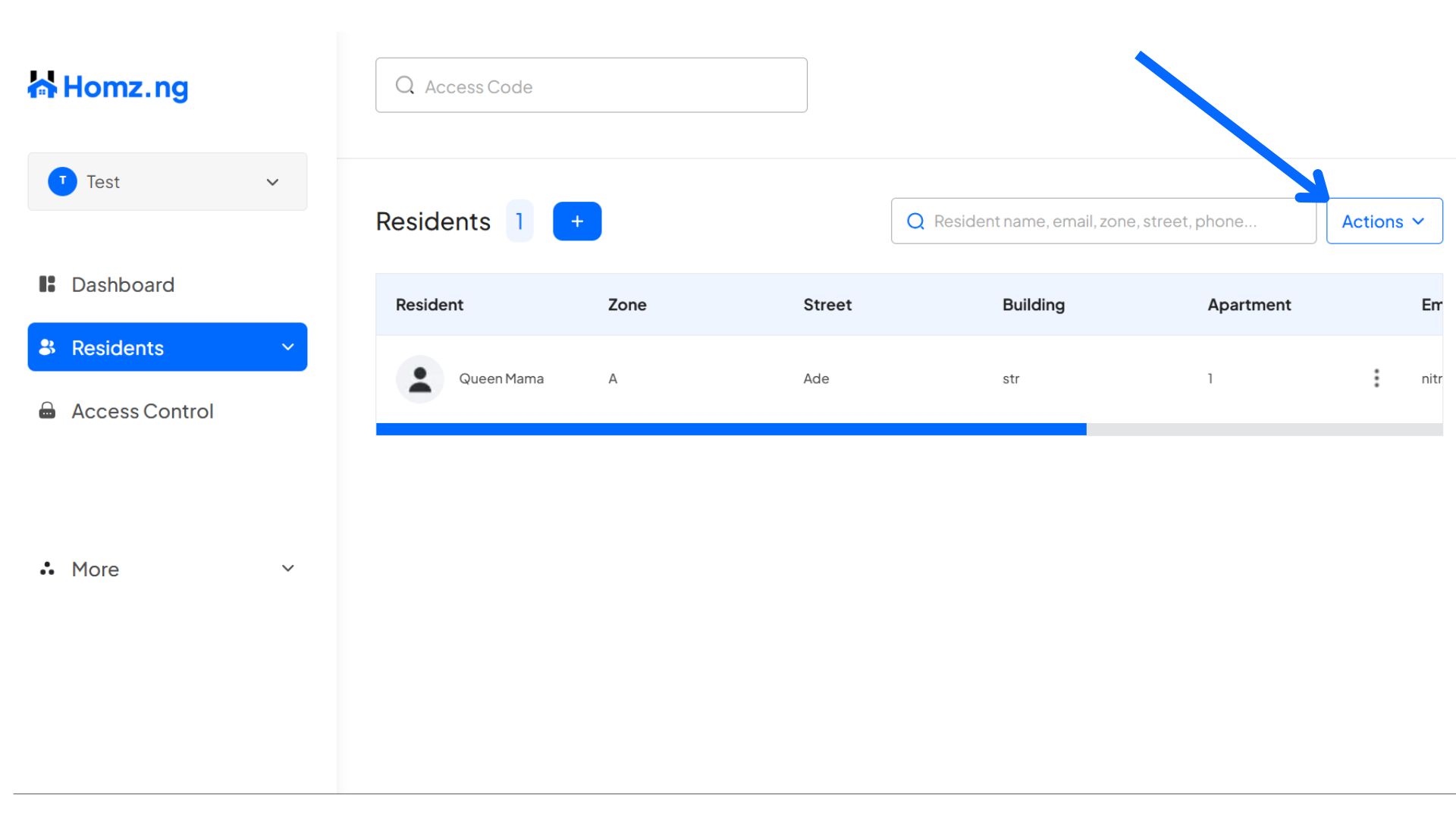
then click on “Invite Resident(s)” button
Step 3:
Copy the generated link and send it to your intended resident.
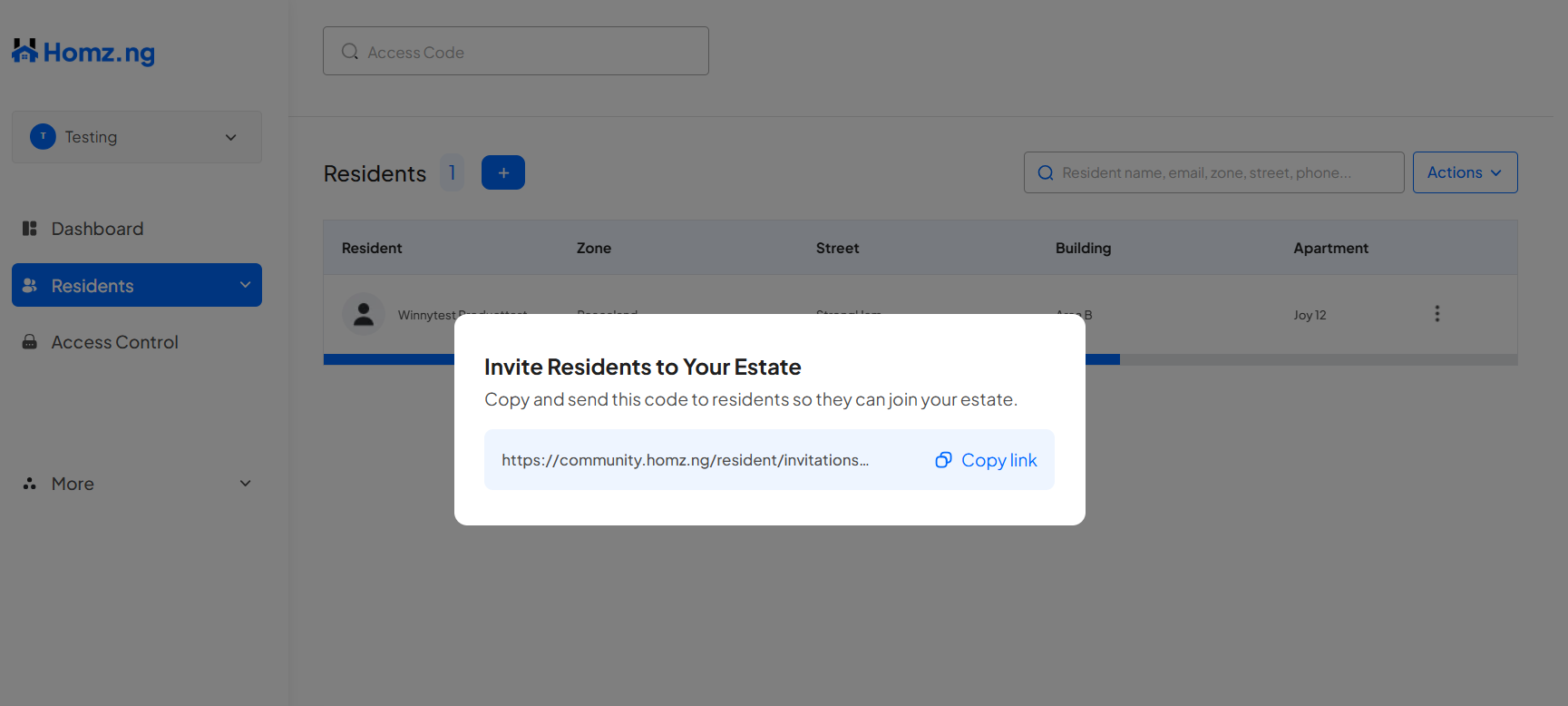
Congratulations, You have successfully generated your resident’s invite link and you can send it to him/her. Enjoy!
Learn how to create an account and sign in to your dashboard.
Learn how to switch between your estates.