With Homz, accessing and reviewing essential information about your estate is quick, organized, and user-friendly. Follow the steps below to view your estate details directly from your Community Management dashboard.
Step 1:
If you have not already done so, and create an account, or log in to your existing account. Once logged in, you will be taken to your dashboard. (If you need help creating an account, refer to the “How to Create an Account as a Community Manager” guide.)
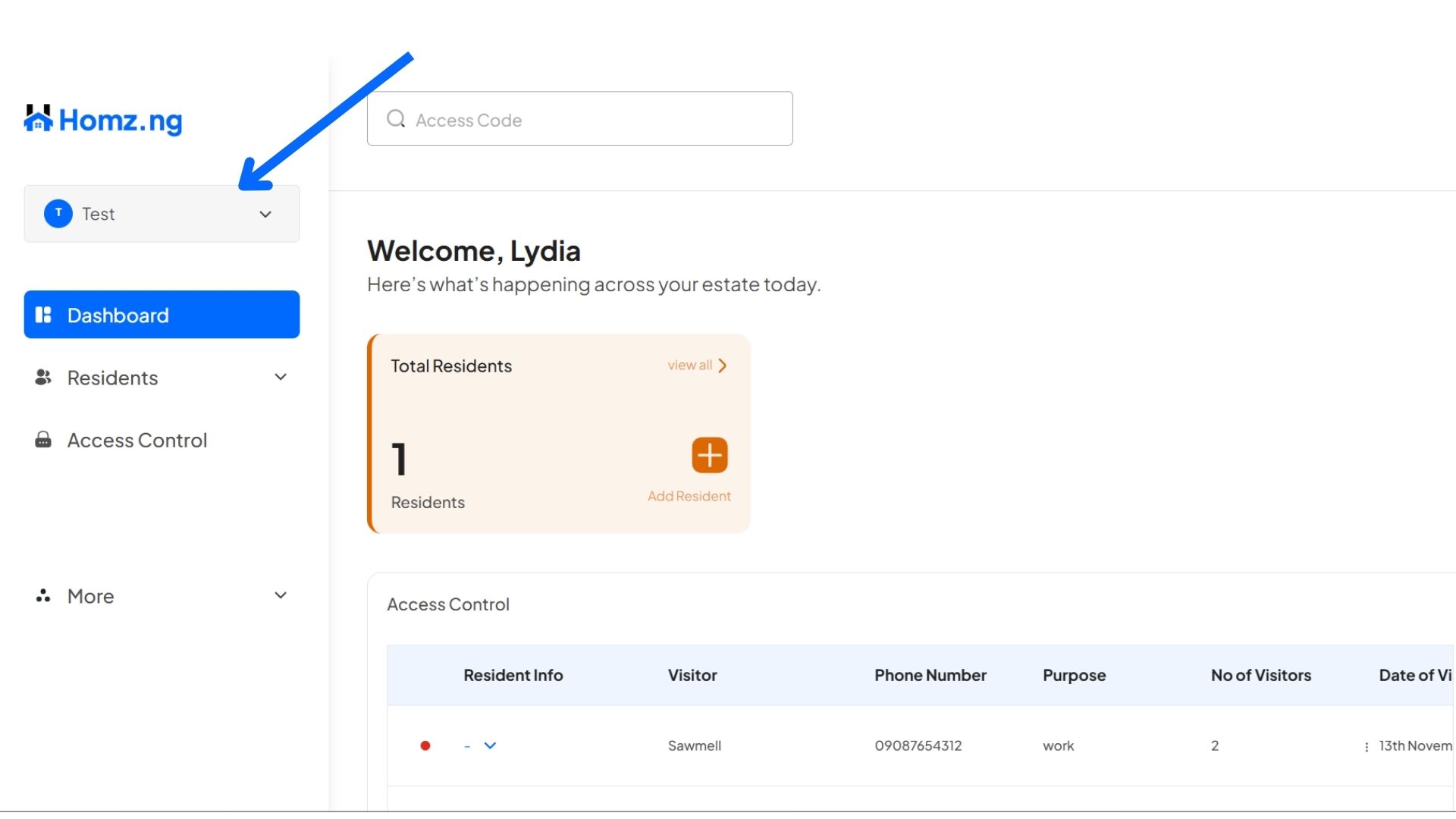
Step 2: Click on the Estate name
On the left-hand panel of your dashboard, click on the “Estate Name” showing.
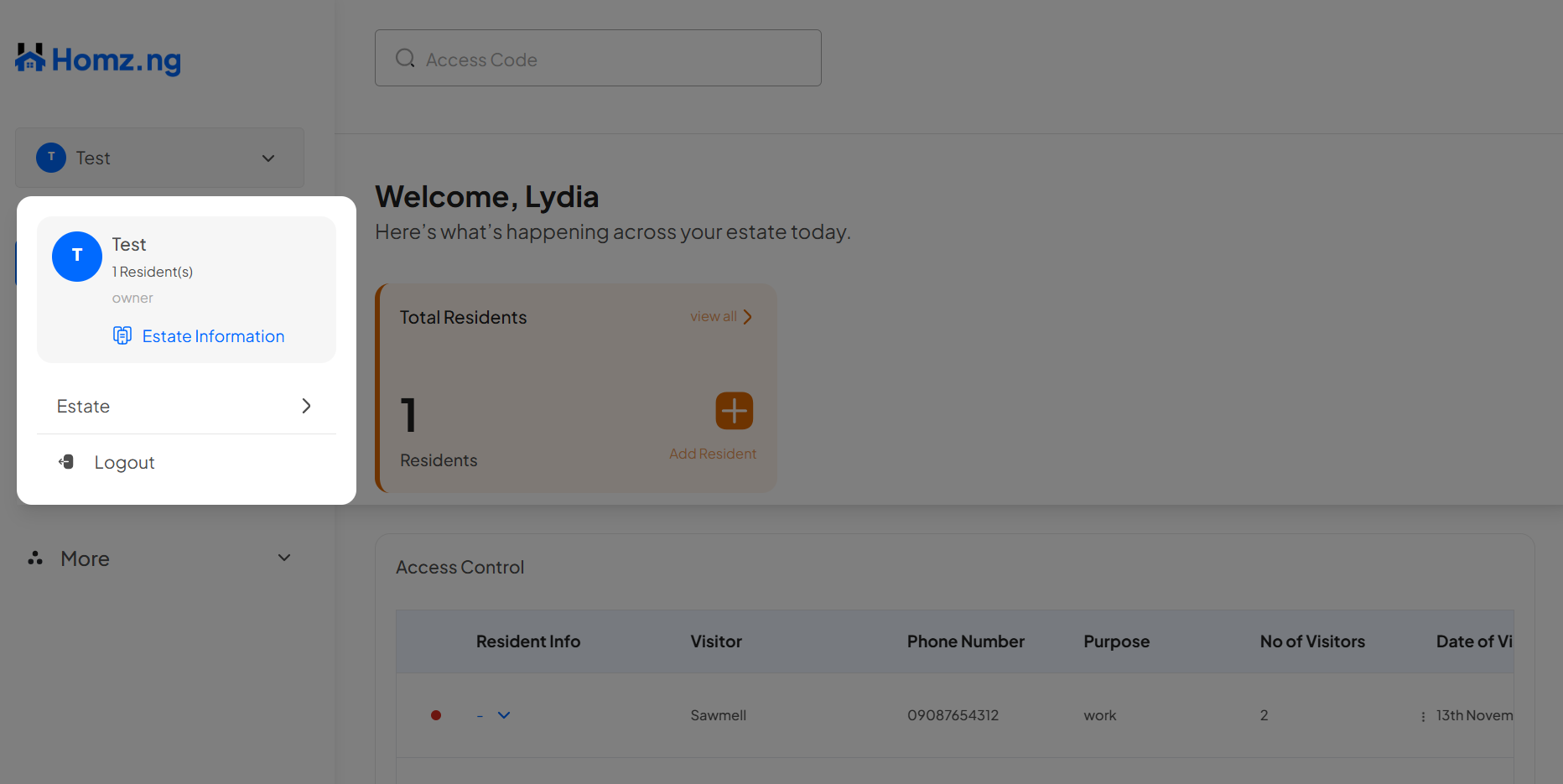
Click on the “Estate Information” button to view the details of the current estate selected.
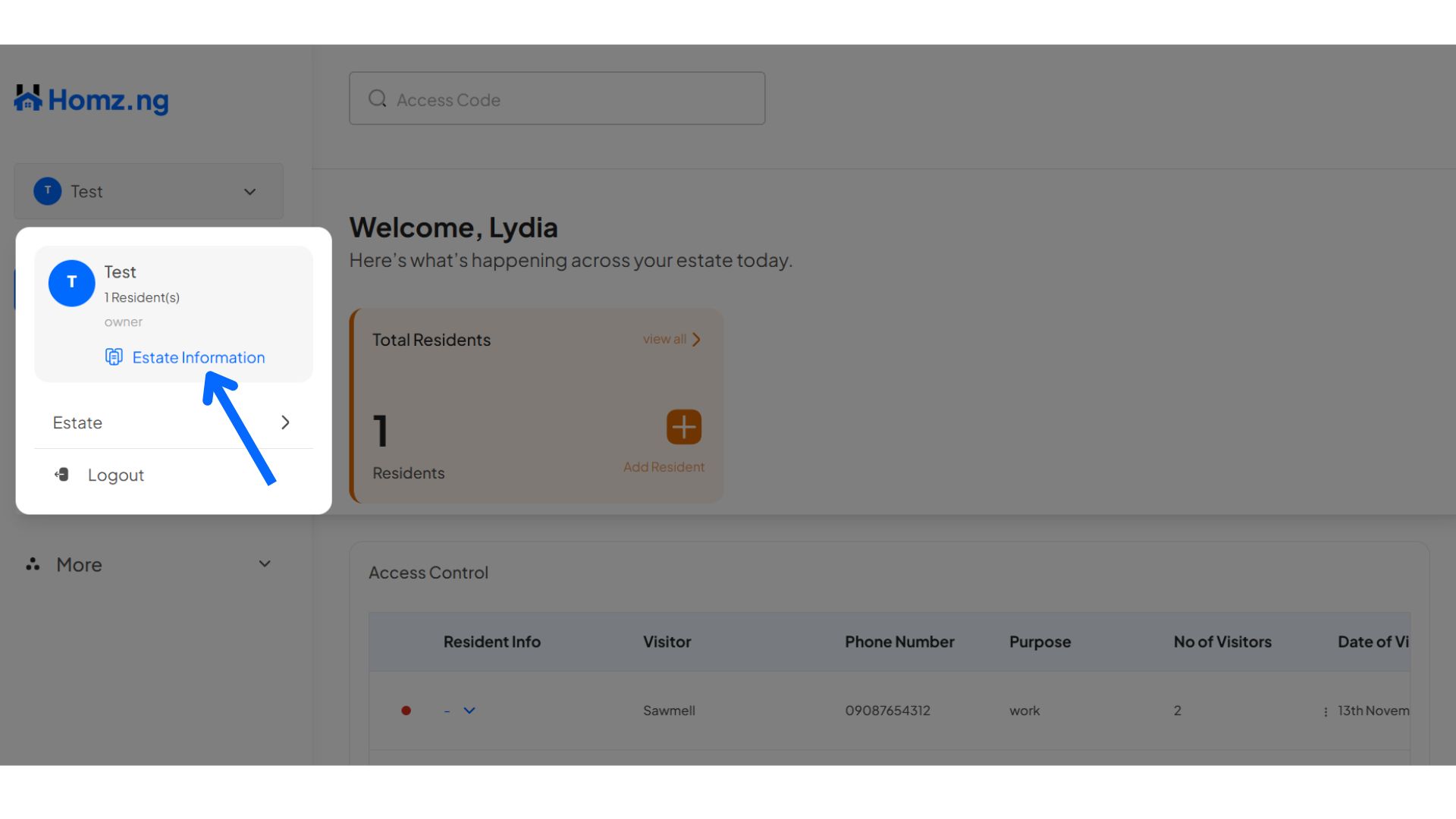
This opens up this

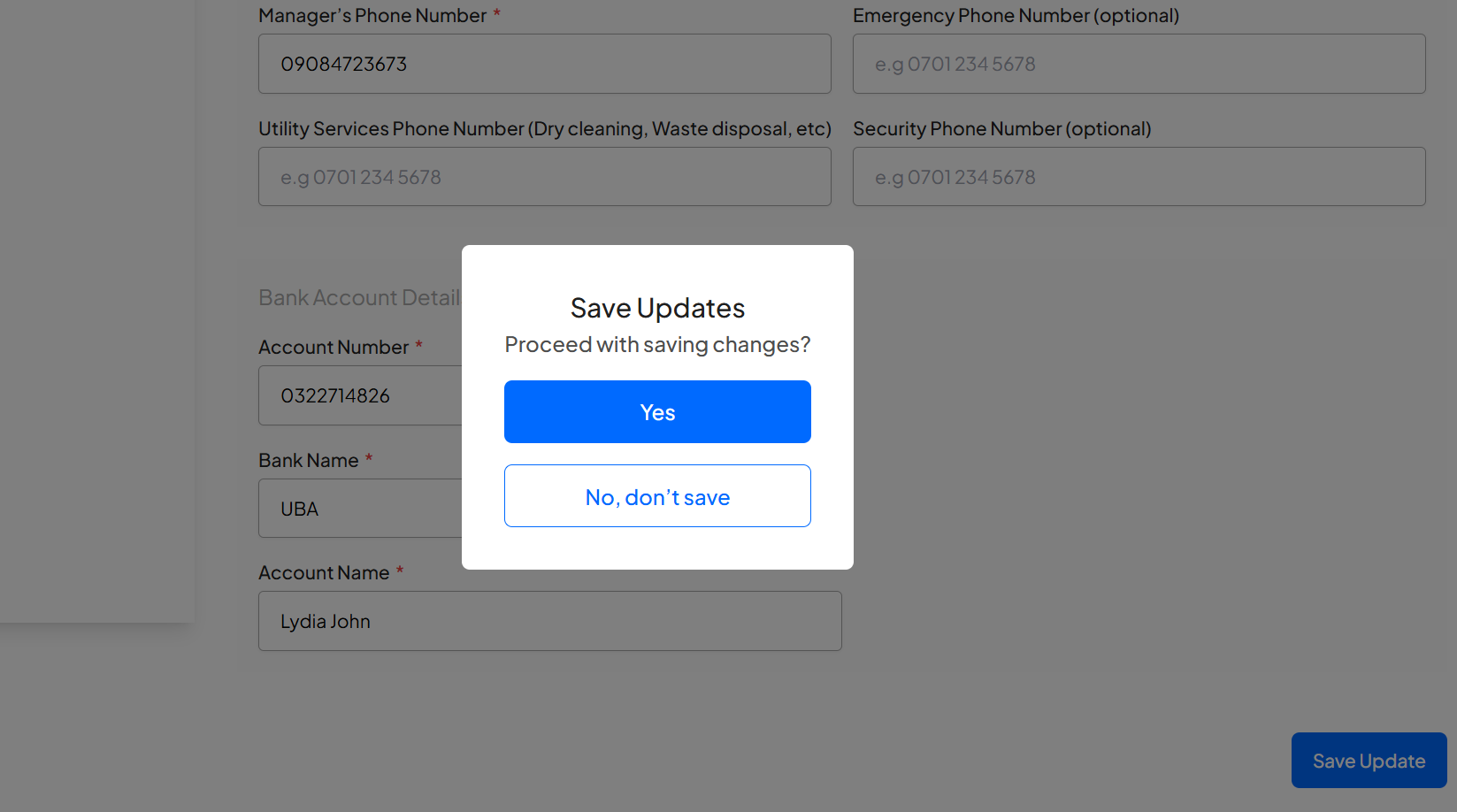
You can proceed to make any adjustment to the information and click on the “Save Update” button at the right-bottom corner of the page to save your changes.
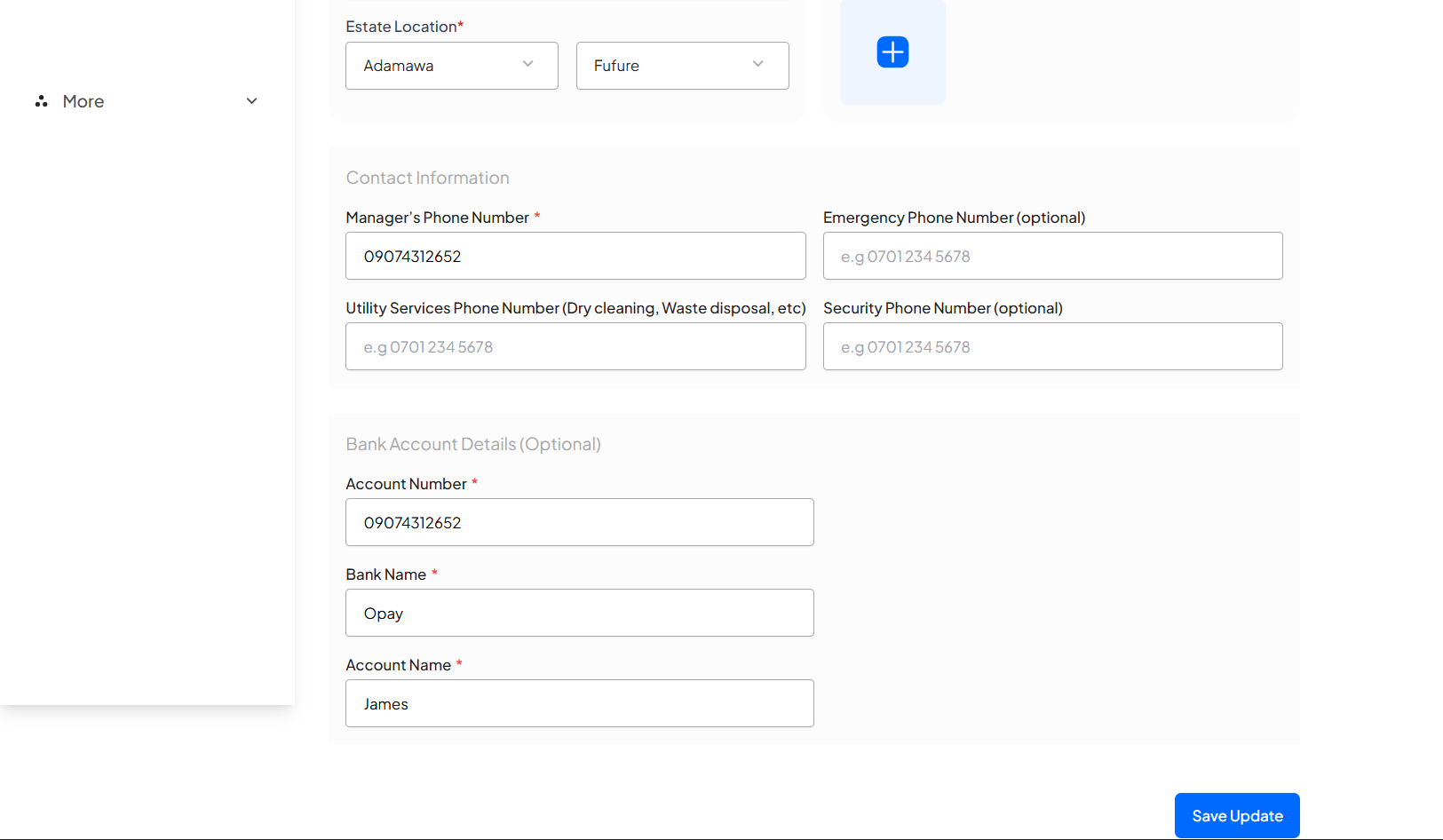
Click on “Yes” to save or “No, don’t save” to cancel .
Congratulations, You have successfully viewed and edited your estate information.
Learn how to create an account and sign in to your dashboard.
Learn how to switch between your estates.
Learn how to add new residents via link generation.